Intuit · QuickBooks
Unconstrained invoicing
A from-scratch rethink of QuickBooks invoicing
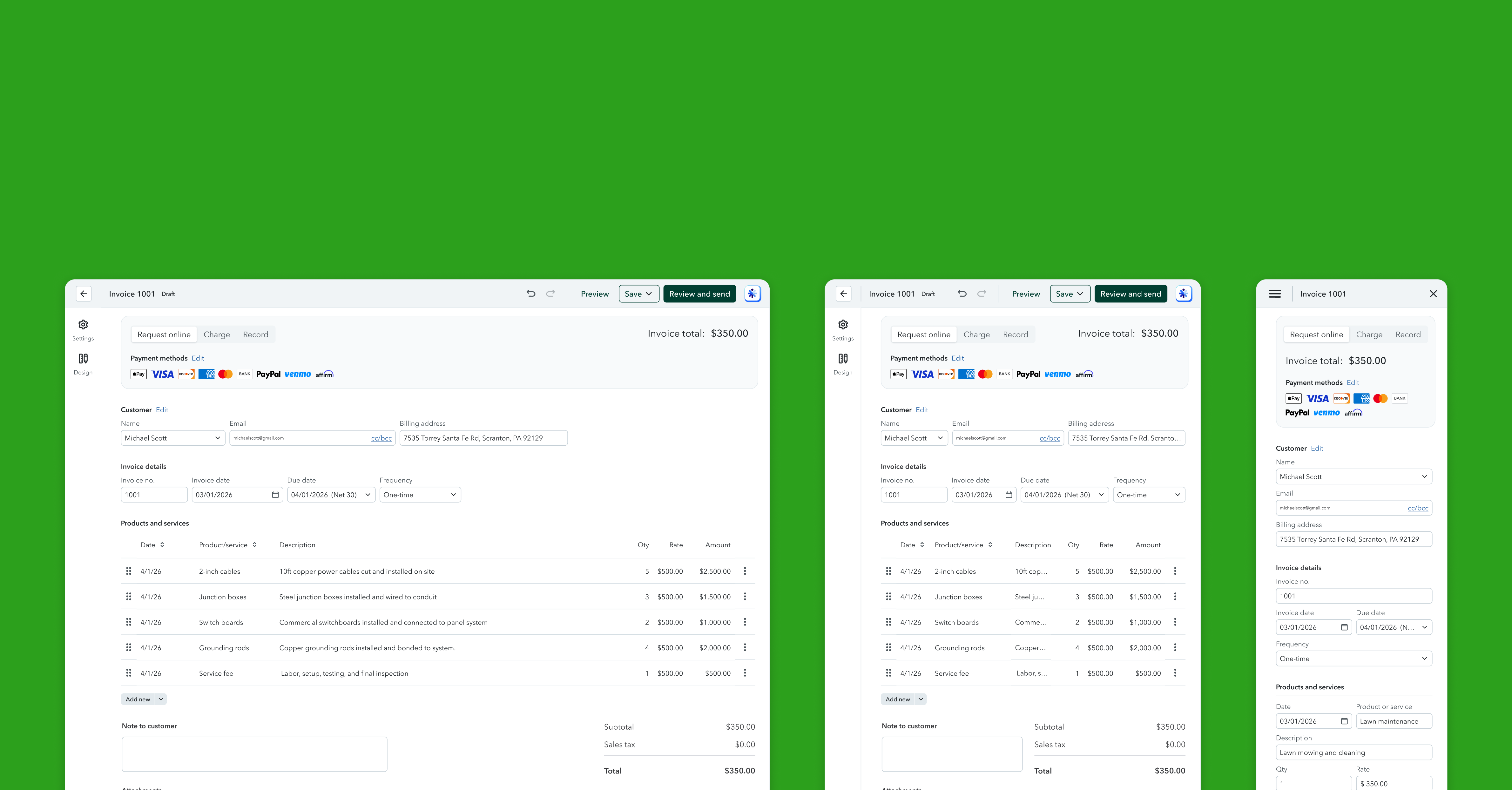
~64% of researched invoices never get sent, with $13B+ stuck in drafts. I led the from-scratch rethink of QuickBooks invoicing to fix create-to-send.
Three jobs, one crowded screen
The editor wasn't just hard to use. It quietly broke create-to-send.
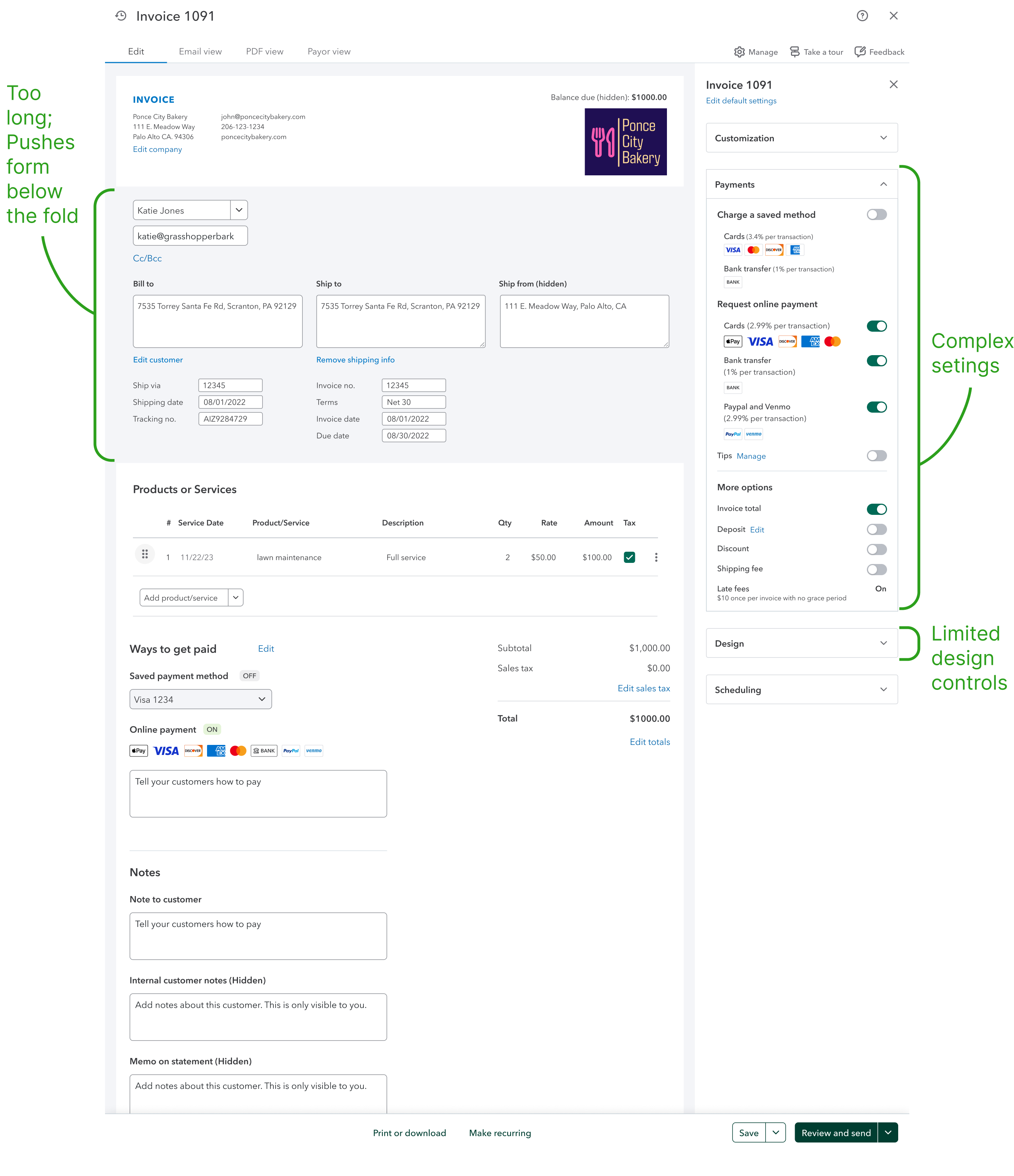
QuickBooks tried to do three jobs on one surface: Edit buried line items under customer chrome, Settings mashed payments and customization together, and Design hid templates and color pickers inside an accordion.
“Worst screen orientation ever. You have to scroll down just to see any details of the invoice. The entire top section is wasted space.”
Edit · layout“I create it in QuickBooks but I always add some colors to it in Canva before I send it from my own email.”
Design · off-platform
What we optimized for
The calls we made when every option had a real downside.

Create-to-send vs. showing every field
Prioritized line items and totals on the edit canvas; moved advanced and cohort-specific controls into Settings.

One editor vs. cohort-specific flows
Kept AE, MAIP, and merchant in a single invoice experience, with conditional payment sections instead of forking the product.

North-star vision vs. incremental rollout
Defined the full Edit · Settings · Design split upfront; shipped payments settings first while the Design tab targets a later release.
One AI toolchain, from insight to shipped code
The call: split Edit, Settings, and Design into distinct modes, then use AI to run that call end to end, solo, in days instead of quarters.
I clustered Edit-tab VOC into layout principles with Claude, audited every field in Figma (essential / conditional / hidden), and built a clickable Edit · Settings · Design prototype in Cursor, so leadership reacted to real flows, not static frames. That same toolchain carried into production: when polish sat in the eng backlog, I opened PRs in the codebase and traced defects with Claude. Three examples:
Insight → prototype
Claude to cluster, Cursor to prototype
Clustered Edit-tab VOC into layout principles with Claude, then built the clickable Edit · Settings · Design prototype in Cursor, so leadership reacted to real flows, not static frames.
Pull requests
UI polish merged to production
Navigated the QBO codebase in Cursor, opened PRs for spacing, copy, and component fixes, and shipped them through normal review.
Bug fixes
LLM-assisted debugging
Traced invoicing defects with Claude, patched regressions, and merged the fixes the same week.
Take it for a spin: Edit, Settings, Design
From north-star to shipping product
The team now shares one direction: Edit, Settings, and Design as separate modes. Payments settings shipped cleaner; Edit and Design roll out next (Design targeting August 2026). Throughout, I shipped production PRs and fixes rather than waiting for a handoff.